TL;DR:
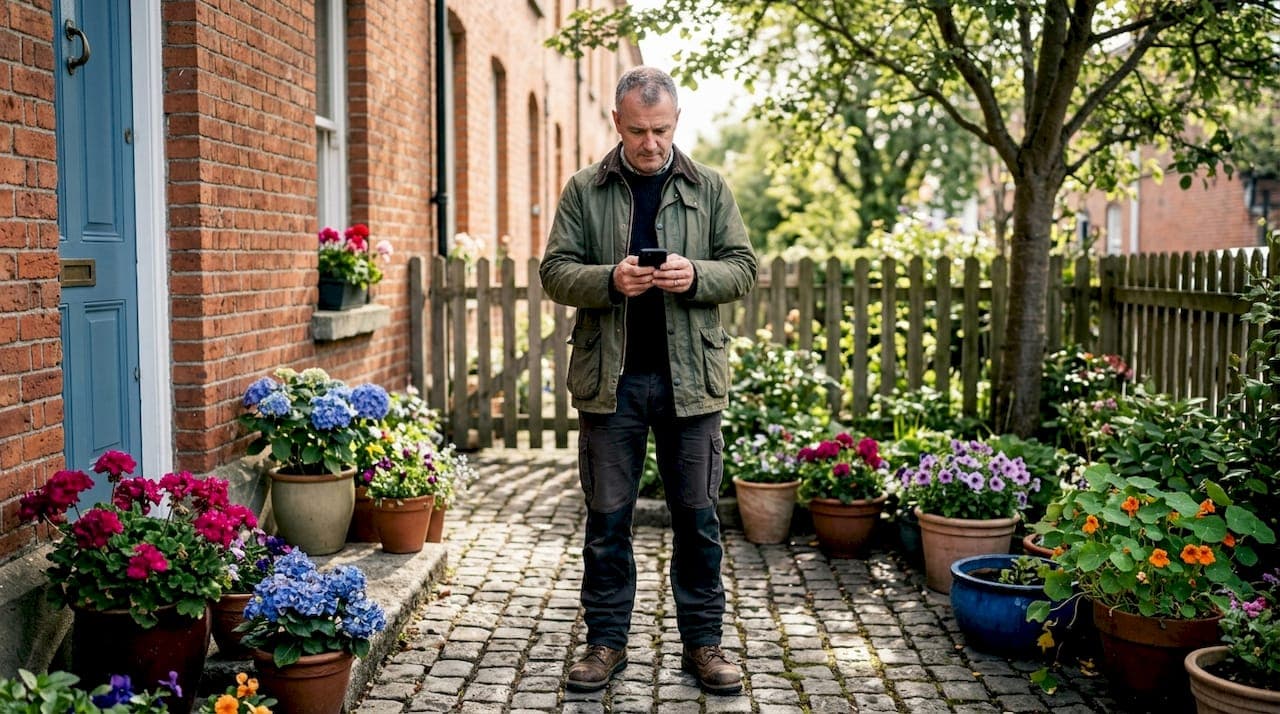
- Using WhatsApp to request gardening quotes in Dublin provides quick, clear, and itemized estimates within hours by sharing photos and detailed service descriptions.
- This approach ensures accurate pricing, reduces surprises, and creates a documented communication trail that enhances trust and efficiency for both homeowners and property managers.
Getting a gardening quote in Dublin can feel like chasing smoke. You ring a number, leave a message, wait days, and receive a vague estimate that tells you nothing about what you are actually paying for. It is frustrating, and it happens more than it should. Using WhatsApp for a quote changes that experience entirely. You can send photos of your garden, describe the work you need, and receive a clear, itemised quote within hours rather than days. This guide walks you through exactly how to request, receive, and follow up on gardening quotes via WhatsApp so your property gets the attention it needs without the runaround.
Table of Contents
- What you need before requesting a gardening quote via WhatsApp
- Step-by-step guide to requesting and receiving a gardening quote on WhatsApp
- Common mistakes to avoid when using WhatsApp for gardening quotes
- How WhatsApp Business API and Flows improve quoting for property maintenance services
- What to expect after sending or receiving a gardening quote on WhatsApp
- Why WhatsApp quoting is a game changer for Dublin property maintenance — beyond convenience
- Streamline your garden maintenance quoting and services with Sherry Property Care
- Frequently asked questions
Key Takeaways
| Point | Details |
|---|---|
| Prepare detailed info | Have garden size, services needed, and property address ready before requesting a quote. |
| Request fixed-price quotes | Ask for a clear, fixed-price quote showing labour, waste removal, and VAT to avoid surprises. |
| Use PDF or links | Receive quotes as PDFs for formal needs or links for faster updates and version control. |
| Follow up consistently | Schedule WhatsApp follow-ups at 24 and 72 hours to prevent losing the sale. |
| Automate with WhatsApp API | WhatsApp Business API and Flows increase speed, accuracy, and customer satisfaction in quoting. |
What you need before requesting a gardening quote via WhatsApp
To ensure accurate and reliable pricing, here is what you need to prepare before asking for a quote on WhatsApp.
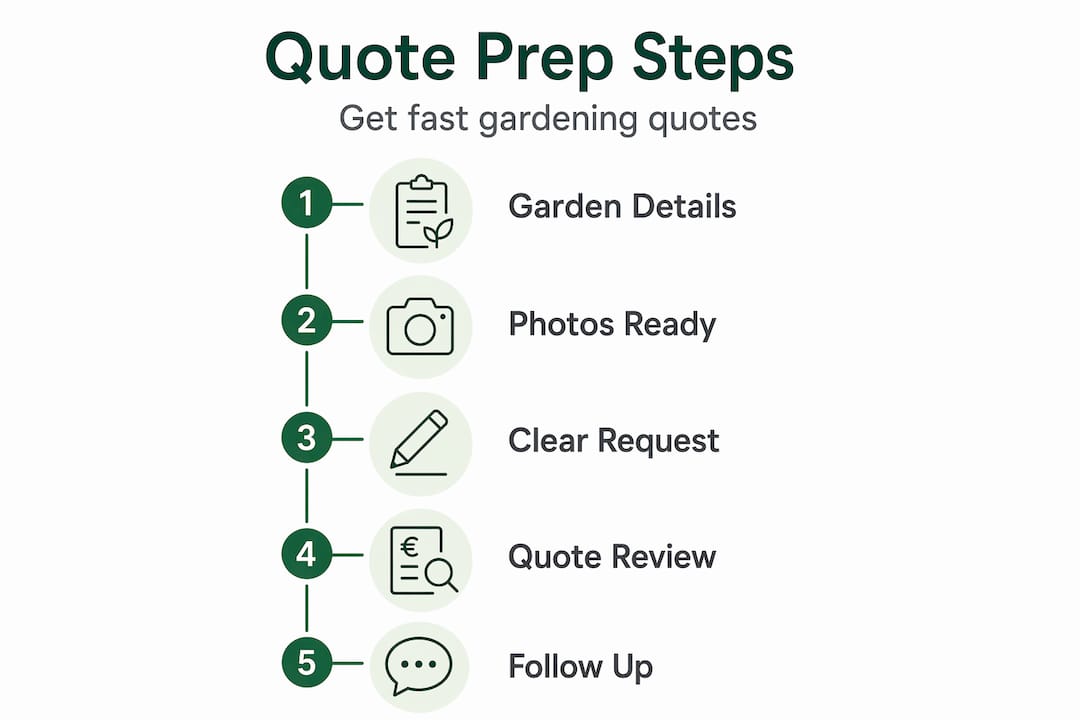
A good quote depends on the information you provide upfront. The more specific you are, the more reliable the price you receive. Guesswork on your side leads to guesswork on the gardener's side, and that usually ends in unexpected costs once the work begins.
Gather this information before you open the chat:
- Your property address and whether it is a house, apartment complex, or commercial grounds
- An approximate garden size (even "small back garden" or "large front lawn" helps)
- The specific services you need: lawn mowing, hedge trimming, one-off tidy-up, regular maintenance, or a combination
- Your preferred dates or how urgently the work is needed
- Any access notes, such as a side gate code or restricted parking
Once you have that list ready, take a few clear photos. Wide shots of the full garden plus close-ups of problem areas, overgrown hedges, or damaged lawn patches give the gardener a realistic view. This is especially useful when you request a quote on WhatsApp because it removes the need for a site visit before pricing, which speeds everything up considerably.
You should also know what a fair quote looks like. As noted by garden maintenance pricing experts, Dublin homeowners should request fixed-price quotes with full breakdowns to compare providers fairly and avoid surprises. A proper quote should show labour costs, waste removal, VAT status, the number of gardeners attending, and an estimated duration.
| Quote element | Why it matters |
|---|---|
| Labour costs | Shows what you pay per hour or per job |
| Waste removal | Garden waste disposal is often an added charge |
| VAT inclusion | Clarifies the true total you will pay |
| Number of gardeners | Affects completion time and value assessment |
| Quote validity period | Protects you from price changes before approval |
| Payment terms | Sets expectations before work begins |
Property managers handling estate management in Ireland tend to maintain a standard checklist like this for every grounds quote they process. Adopting the same habit for your own property saves time and prevents disputes.
Step-by-step guide to requesting and receiving a gardening quote on WhatsApp
With your details ready, here is exactly how to ask for and handle your gardening quote via WhatsApp.
1. Open the chat and introduce your request clearly. State your address, the services needed, your garden size estimate, and your preferred dates in one clear message. Attach two or three photos immediately. Do not send a one-line message asking "how much?" with no context; that guarantees a slow or vague response.
2. Ask explicitly for a fixed-price quote with a full breakdown. Write something like: "Please send a fixed-price quote including labour, waste removal, and VAT, with a validity period." Specific requests produce specific answers.
3. Request the quote in PDF or link format. A PDF is easy to save, print, and compare alongside other quotes. A shareable link works well for quick updates if the scope changes. According to WhatsApp quoting best practices, sending quotes via WhatsApp requires a clear PDF or link with a summary, total price, validity period, and an explicit call-to-action to boost approvals and avoid lost leads.
4. Review the quote carefully before replying. Check every line item against what you asked for. If waste removal is missing, ask for it to be added. If the VAT position is unclear, ask for clarification.
5. Reply with a clear approval or a specific question. Avoid vague replies like "sounds okay." Use direct language: "I approve this quote" or "Can you confirm the hedge trimming covers the full front boundary?"
6. Keep your follow-ups on schedule. If you sent the quote request and have not heard back, follow up at 24 hours, then again at 72 hours.
Pro Tip: When reviewing your garden maintenance workflow across multiple properties, save every WhatsApp quote thread in a dedicated folder on your phone or export it to email for your records. This creates an audit trail that protects you if any billing disputes arise later.
| Format | Best used for | Drawback |
|---|---|---|
| PDF attachment | Formal record, printing, comparison | Cannot update easily once sent |
| Shareable link | Quick revisions, version control | Requires internet access to view |
| In-chat summary | Fast reference during conversation | No permanent offline record |
Common mistakes to avoid when using WhatsApp for gardening quotes
Even with the best intentions, many lose opportunities by making these common WhatsApp quoting mistakes.
Sending a quote with no context. Dropping a price figure into a chat without explaining what it covers leaves the reader confused and likely to ignore it. Every quote message should open with a one-line summary: "This quote covers your front lawn mowing and hedge trim, valid for 14 days."
Leaving out a clear next step. If the recipient does not know what to do after reading the quote, they will do nothing. Include a simple action: "Reply YES to confirm" or "Reply with any questions and I will respond within the hour." Without that prompt, a quote in WhatsApp can sit unread for days.
Failing to keep records. WhatsApp chats scroll fast. Without screenshots or exported records, a quote agreed in chat can be disputed later. Keep a log noting the date sent, the version number if revisions were made, and whether a follow-up was sent.
Skipping follow-ups entirely. This is the most costly mistake. Over 70% of quotes go cold without automatic 24-hour and 72-hour follow-ups after sending; specific message prompts keep chats active and decisions moving forward. A gentle follow-up is not pushy. It is good service.
Writing messages that are too long. WhatsApp is a chat tool, not an email inbox. Long blocks of text get scrolled past. Keep your context message to three or four sentences. The detail belongs in the attached PDF or link, not in the chat body.
Pro Tip: Create a simple spreadsheet to track every quote you request, including the provider name, date sent, services covered, total price, and whether a follow-up is due. Cross-reference this against your garden maintenance checklist so nothing falls through the gaps between quote and confirmation.
How WhatsApp Business API and Flows improve quoting for property maintenance services
For property managers seeking to modernise, here is how WhatsApp Business API and Flows elevate the quoting experience.
The WhatsApp Business app that most people use is fine for individual homeowners. But property managers handling multiple sites benefit from a step up: WhatsApp Business API, which connects to professional quoting tools and allows pre-approved message templates to go out at speed.
Key benefits of WhatsApp Business API for grounds maintenance quoting:
- Sends template-based messages instantly without typing from scratch each time
- Routes conversations to the right team member automatically
- Stores message history in a central dashboard, not just on one phone
- Tracks open rates and response times for each quote sent
Template approval is faster than most people expect. WhatsApp Business API template approval typically ranges from minutes to 24 hours, with utility-category templates for quotes carrying high approval rates when correctly categorised. This means your WhatsApp quote service can be up and running the same day you configure it.
WhatsApp Flows takes this further by automating the data-gathering step. Instead of asking each client separately for their address, garden size, and service preferences, a Flow guides them through a structured in-chat form. WhatsApp Flows enable tailored service quotes capturing customer preferences quickly in-chat, which boosts both conversion rates and client satisfaction.
| Quoting method | Time to send quote | Error rate | Follow-up automation |
|---|---|---|---|
| Manual WhatsApp messages | 15 to 30 minutes | Higher (manual input) | None unless added manually |
| WhatsApp Business API templates | 1 to 3 minutes | Lower (pre-set content) | Can be scheduled |
| WhatsApp Flows with API | Near-instant after intake | Very low (data captured in-chat) | Fully automated |
For a Dublin property manager overseeing multiple grounds contracts, the API approach to business quotes through WhatsApp is not a luxury. It is a practical time-saver that also makes your record-keeping cleaner. Explore more on this in our groundskeeping services guide for property owners.
What to expect after sending or receiving a gardening quote on WhatsApp
Now that you know how to send and receive quotes, here is what happens next and how to ensure your garden service is confirmed efficiently.
The quote arriving in your WhatsApp chat is not the finish line. What happens in the 72 hours after that determines whether your garden gets booked or the quote quietly expires.

1. Check your chat at 24 hours. If you sent the quote request, confirm it was received and invite any questions. If you received one, read through it fully and note anything unclear.
2. Follow up at 72 hours with a specific point. Do not send a generic "just checking in" message. Address something concrete: "Did you have any questions about the waste removal charge?" Prompt follow-ups at 24 and 72 hours enable clarifications and keep sales active, according to experienced WhatsApp quoting professionals.
3. Send a final reminder before the quote expires. Most quotes carry a 7 to 14-day validity. A message the day before expiry prompts a decision without pressure: "Just a reminder this quote is valid until Friday. Happy to answer any final questions before then."
4. Confirm approval in writing via WhatsApp. "I approve this quote and agree to the terms" is enough. Some providers will also send a formal acceptance link or ask for a signature. Either way, get the approval recorded in the chat.
5. Prepare for scheduling and payment. Once approved, expect the gardening provider to propose dates within one to three working days. Have your preferred access arrangements and payment method ready to respond quickly.
Review your seasonal property maintenance tips alongside this process so your quote timing aligns with the best window for the work being carried out.
Why WhatsApp quoting is a game changer for Dublin property maintenance — beyond convenience
This is worth saying plainly: the biggest problem in Dublin's domestic gardening market is not poor service. It is poor communication. Homeowners have no idea what they are paying for until the bill arrives. Providers spend time on site visits that lead nowhere. Both parties are left frustrated.
WhatsApp quoting fixes the communication layer first, and everything else follows. When you request a quote on WhatsApp, you create a written record from the very first message. That record protects you. If the hedge trimming was supposed to include the back boundary, it is in the chat. If waste removal was agreed at no extra charge, it is in the chat. There is no "he said, she said" because everything is timestamped.
The speed matters too, but for a different reason than most people assume. It is not just about getting an answer faster. It is about catching a provider while they are focused on your enquiry. A WhatsApp message with photos and clear details tends to get a serious, considered response. An email often gets a brief, distracted one.
There is also something worth noting about relationships. WhatsApp feels personal. That informality, managed professionally, builds a level of trust that a formal email thread rarely achieves. When a homeowner can message their gardener to check progress, ask a quick question mid-job, or approve an additional task on the spot, the whole experience feels collaborative rather than transactional.
The digital trail of quotes and approvals safeguards both sides and prevents the kind of scope creep that erodes trust over time. Garden transformation projects that begin with clear WhatsApp communication consistently run more smoothly than those that start with vague phone calls.
Pro Tip: After each completed garden service, send a short WhatsApp message asking if the client is satisfied and whether they would like to book the next visit. This single habit increases repeat bookings and strengthens the working relationship more than any formal follow-up system.
Streamline your garden maintenance quoting and services with Sherry Property Care
To easily apply these tips today, Sherry Property Care offers expert gardening quotes and maintenance with WhatsApp support right here in Dublin.
Getting a reliable gardening quote should not be a project in itself. At Sherry Property Care, we make it simple. Send us a WhatsApp message with a few photos of your garden, tell us what you need, and we will come back to you with a clear, fixed-price quote. No vague estimates. No surprise charges. Just a straightforward breakdown covering labour, waste removal, and VAT.
We work with homeowners and property managers across Dublin, providing professional lawn care, hedge trimming, one-off tidy-ups, and ongoing grounds maintenance. Every quote is tailored to your property. Every job is carried out to a high standard. Whether you manage one home or several sites, we are here to make the process easy.
Pro Tip: WhatsApp us a photo of your garden today for a personalised quote and confirmation within hours. No site visit required to get started.
Frequently asked questions
How long does it take to get a gardening quote via WhatsApp?
You can typically receive a quote within a few hours of requesting one. WhatsApp Business API template approval usually takes up to 24 hours but is often completed within minutes to two hours when pre-approved templates are in use.
What should be included in a WhatsApp gardening quote for clarity?
A clear quote should cover the full scope of work, total price, VAT status, validity period, payment terms, and a simple call-to-action. Attaching a PDF or link alongside the chat message makes it easy to save, review, and compare.
How often should I follow up on a gardening quote sent via WhatsApp?
Follow up at 24 hours to confirm receipt, again at 72 hours to address any questions or concerns, and once more before the quote expires. Prompt 24-hour and 72-hour follow-ups keep conversations active and significantly improve approval rates.
Why use WhatsApp Business API for garden maintenance quotes?
WhatsApp Business API allows template-based messaging with fast approval times and supports automated flows that gather client preferences and personalise quotes in-chat. Utility templates for quotes carry high approval rates and reduce the manual effort involved in every quote cycle.
Can I negotiate the gardening quote via WhatsApp?
Yes. WhatsApp allows real-time back-and-forth, making it well suited for discussing adjustments to scope, timing, or payment terms. The 72-hour follow-up window is a natural point to raise any changes you would like to discuss before formally approving the quote.